IDX
Liquidity
Solana Liquidity Pool Simulator
Model constant-product pool pricing before you deploy capital — tune supply, pool depth, and SOL/USDC/USDT quotes to preview starting price, TVL, and buy impact in IDX Tools.
Overview
What the simulator does
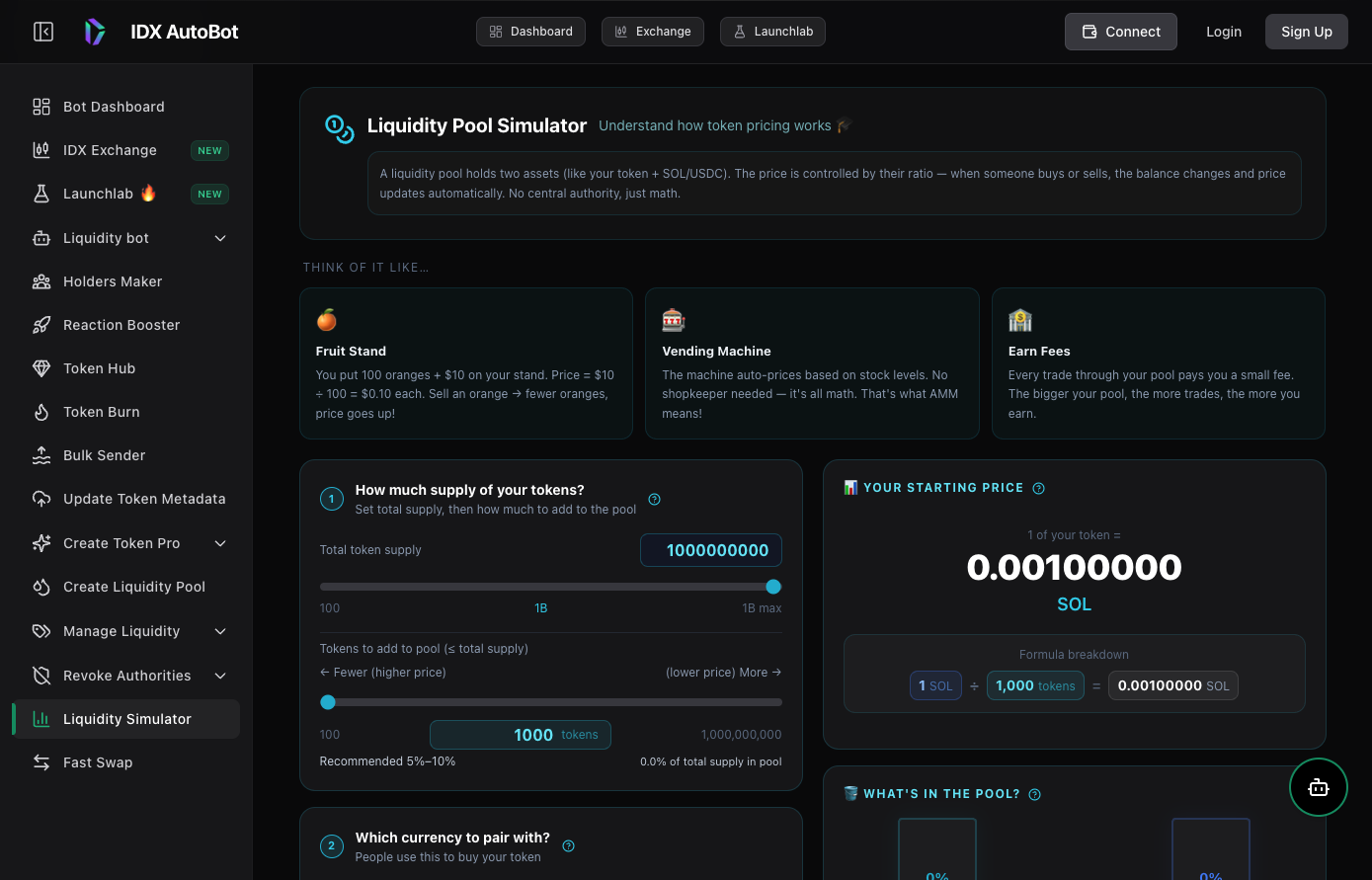
IDX Liquidity Pool Simulator walks through how an AMM sets price from the ratio of your token and a quote asset. Adjust total supply, tokens added to the pool, quote depth, and buy size to see starting price, pool composition, and price impact — without spending SOL on-chain.
Audience
Who it’s for
Founders sizing initial pool depth before launch day
Liquidity managers comparing SOL, USDC, and USDT quote pairs
Teams planning treasury allocation between tokens and quote assets
Features
Plan launches with real AMM math
Constant-product pricing
Uses x×y=k style math so you see how reserves move when buyers take a share of the token side.
SOL, USDC, and USDT quotes
Model Raydium-style launches against popular Solana quote pairs with sensible min/max guardrails.
Supply and depth sliders
Tune total supply, tokens deposited to the pool, and quote liquidity with recommended 5–10% pool-allocation hints.
Buy-impact preview
Simulate what happens when someone buys 10% or a custom fraction of the token reserve — spend, new price, and % move.
How it works
How to use the simulator
Open Liquidity Simulator
Launch the tool in IDX Tools — no wallet required for planning scenarios.
Set supply and pool allocation
Enter total token supply and how many tokens you plan to add to the pool.
Choose quote pair and depth
Pick SOL, USDC, or USDT and set the quote-side liquidity you are considering.
Review price and buy scenarios
Read starting price and TVL, then test buy impact before you create a live pool.